logo
Good price online

products details

Created with Pixso. Home Created with Pixso. Products Created with Pixso.
Digital Humidity Controller
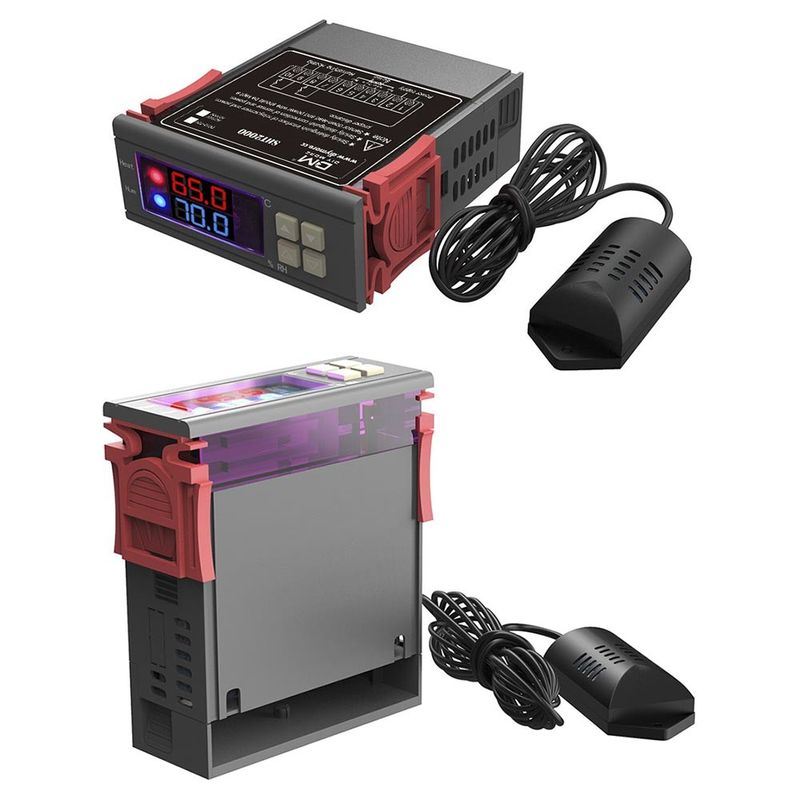
Created with Pixso. SHT2000 LED Digital Humidity Controller Hygrometer Power Switch CE Certified Monitor

SHT2000 LED Digital Humidity Controller Hygrometer Power Switch CE Certified Monitor

Brand Name: Original
Model Number: SHT2000
MOQ: 10pcs
Price: negotiable
Delivery Time: 5-8 work days
Detail Information
Place of Origin:
China
Certification:
CE
Humidity Range::
00%~99%RH
Humidity Control Accuracy::
0.1% RH
Measurement Accuracy::
+/- 2% RH
Load Power::
12v 120w Or 24v 240w Or 220v 1500w (depending On Your Choice)
MAX Output::
10A
Output Type::
Direct Output
Highlight:

SHT2000 humidity controller CE certified

,

digital hygrometer power switch monitor

,

LED humidity controller monitor

Product Description

Digital Temperature Humidity Controller SHT2000 LED Thermoregulator Thermostat Humidistat Hygrometer Switch

Description:

Setting method: Start value Setting method: Start value > stop value (the program automatically determines the working mode is cooling/dehumidifying mode)
Heating/cooling mode setting
Setting mode: setting (starting temperature): Press and hold the button to start the temperature flashing. Use key to set the starting temperature value.
Setting (stop temperature): Press and hold the button to stop the temperature flashing. Use to set the stop temperature value.

Heating use case:
control the water heater, heat to 65 ° C to stop, the temperature drops back to 50 ° C and start heating again
The first step: heating mode, starting temperature
Step 2: Press and hold the button to start the temperature flashing. Use to set the starting temperature to 50 °C.
Step 3: Press and hold the button to stop the temperature flashing. Set the stop temperature to 65 °C with keys, and the setting is completed!

Refrigeration use case: use in the farm, the fan is ventilated to 26 ° C to stop, the temperature is raised to 30 ° C and the ventilation is started again.
The first step: cooling mode, starting temperature > stop temperature
Step 2: Press and hold the button to start the temperature flashing. Use to set the starting temperature to 30 °C.
The third step: long press the button to stop the temperature flashing, set the stop temperature to 26 °C by , the setting is completed!

Humidification/Dehumidification Mode Settings:
Setting (start humidity): Press and hold key to start the humidity value flashing. Set the humidity value by key. Set [Stop Humidity]: Press and hold key to stop the humidity value flashing, and set the humidity to stop by key value.

Humidification example: fresh supermarket humidification, control humidifier 50% RH began to humidify, humidified to 80% RH to stop humidification.
 
Setup steps:
Step 1:
Press and hold the button for 3 seconds to start the humidity value flashing, and set the starting humidity value to 50% RH.
Step 2: Press and hold the button for 3 seconds to stop the humidity value flashing. Set the value to 80% RH. After the setting is completed, the button will be operated for 5 seconds without returning to the normal display state.

Dehumidification example: workshop control exhaust dehumidification system, humidity 70% RH starts dehumidification, humidity 40% RH stops dehumidification

Setup steps:
Step 1:
Press and hold the button for 3 seconds to start the humidity value flashing, and set the starting humidity value to 40%RH.
Step 2: Press and hold the button for 3 seconds to stop the humidity value flashing, set the value to 70% RH, the setting is completed, the button does not operate for 5 seconds, and automatically returns to the normal display state.